

Building Gatan - a Bash TUI for killing rogue ports on macOS
March 18, 2026
I keep hitting the same tiny annoyance on my Mac: some dev server grabs a port, I forget where it came from, and then I burn five minutes doing the lsof | grep | awk | kill dance.
That annoyance became gatan: a small terminal UI that shows listening TCP processes, lets me inspect details, and kill a process safely.
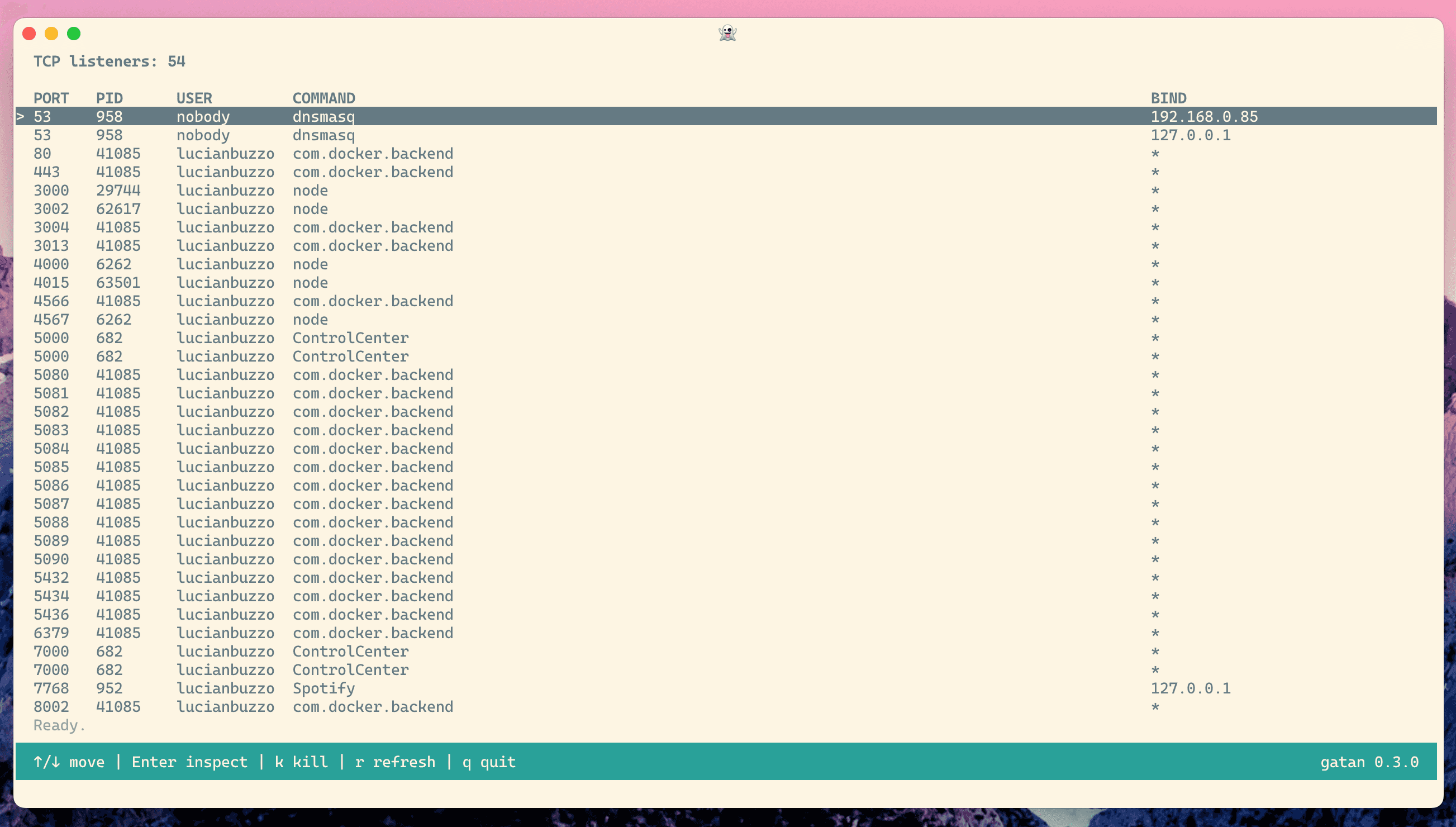
I wanted this to feel quick and native in a terminal, so I built it in Bash rather than pulling in a larger runtime.
Goals and constraints
I set a few constraints early:
- macOS-first
- Bash-first (no big runtime dependency)
- Fast key handling (should feel immediate, not laggy)
- Safe kill flow (
SIGTERMfirst,SIGKILLonly if needed) - Release/CI hygiene from day one
The first big commit bootstrapped all of that in one go: app structure, tests, CI linting, and release automation.
The core loop
At the center of gatan is a simple idea:
- Use
lsofto collect listening TCP processes. - Normalize those rows.
- Render them in a full-screen TUI.
- Keep refreshing in the background while the user navigates.
One tiny detail that mattered more than expected: command names from lsof can be truncated by default. I hit that early and fixed it by asking for full command names with +c 0.
core_raw_lsof() {
  # `+c 0` asks lsof for full command names (no default 9-char truncation).
  sudo lsof +c 0 -nP -iTCP -sTCP:LISTEN 2>/dev/null
}
That one flag made the UI materially more useful.
The annoying macOS Bash 3.2 problem
One of the least glamorous bugs was also one of the most important: macOS system Bash (3.2) does not support fractional read timeouts the way newer Bash versions do.
If you build keyboard handling around sub-second timeouts and forget that, input starts behaving weirdly on default macOS setups.
So I added a compatibility layer to coerce fractional timeouts when running on older Bash.
ui_read_timeout() {
  local timeout="${1:-1}"

  # macOS system bash 3.2 only accepts integer read timeouts.
  if [ "${BASH_VERSINFO[0]:-0}" -lt 4 ] && [[ "$timeout" == *.* ]]; then
    printf '1\n'
    return 0
  fi

  printf '%s\n' "$timeout"
}
Not exciting, but exactly the sort of thing that makes CLI tools feel either solid or flaky.
Making the UI feel responsive
After the first version worked, the next chunk of effort was all about responsiveness and layout polish.
I iterated through:
- frame/layout improvements
- terminal-size handling
- row truncation behavior
- confirmation modal spacing
- redraw/input performance
A meaningful change here was shifting refresh work into a background job and polling completion, rather than blocking the interface.
app_start_main_refresh() {
  APP_MAIN_REFRESH_JOB_FILE="$(mktemp "${TMPDIR:-/tmp}/gatan-main-refresh.XXXXXX")" || return 1
  (
    core_collect_sorted_listeners >"$APP_MAIN_REFRESH_JOB_FILE" 2>/dev/null || true
  ) &
  APP_MAIN_REFRESH_JOB_PID=$!
}
That made navigation feel much less sticky when the system was busy.
Inspect view and kill flow
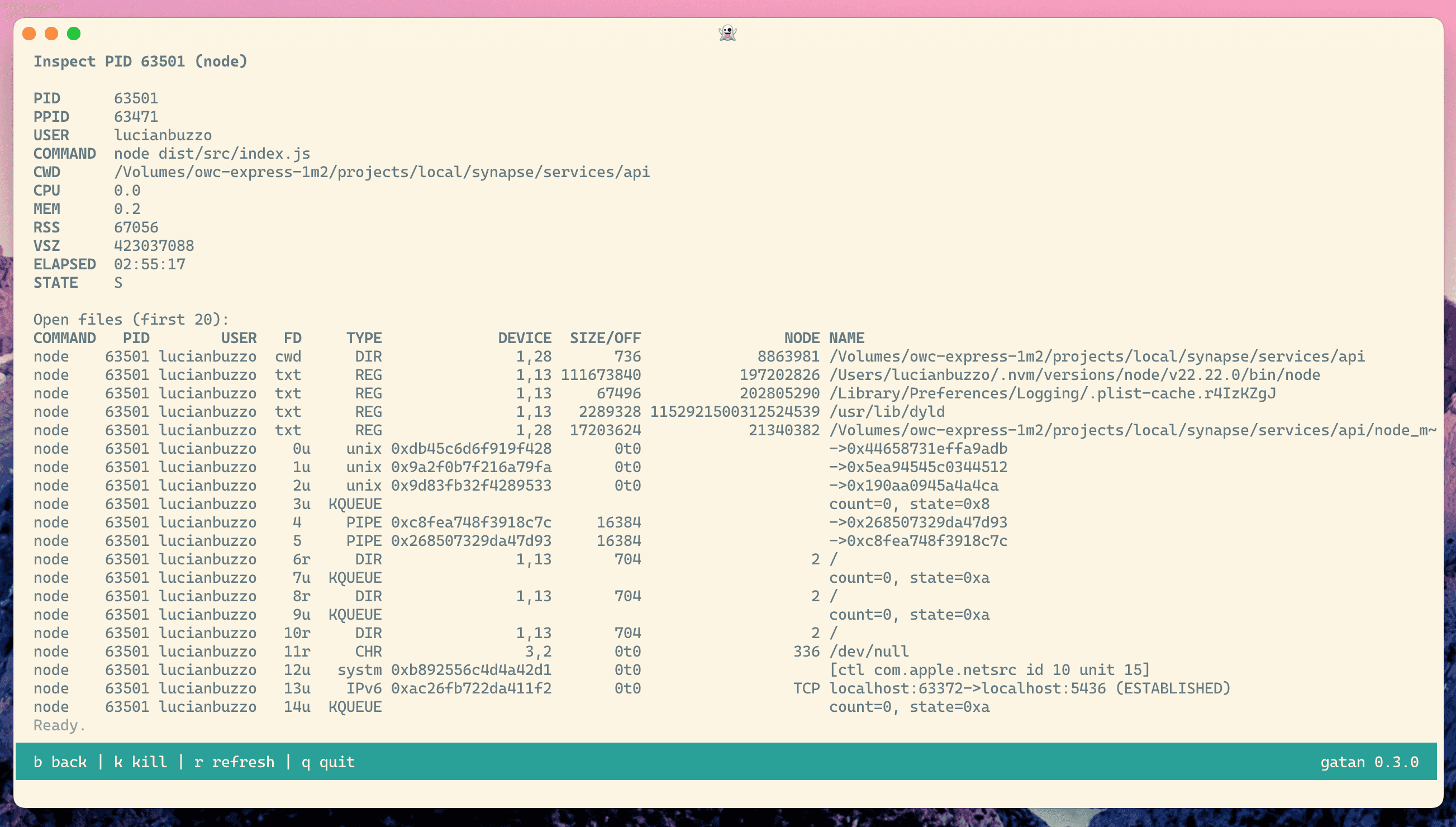
The inspect view started basic, then grew into something much more practical:
- process summary
- CWD and open files
- live metrics snapshot (CPU, memory, elapsed)
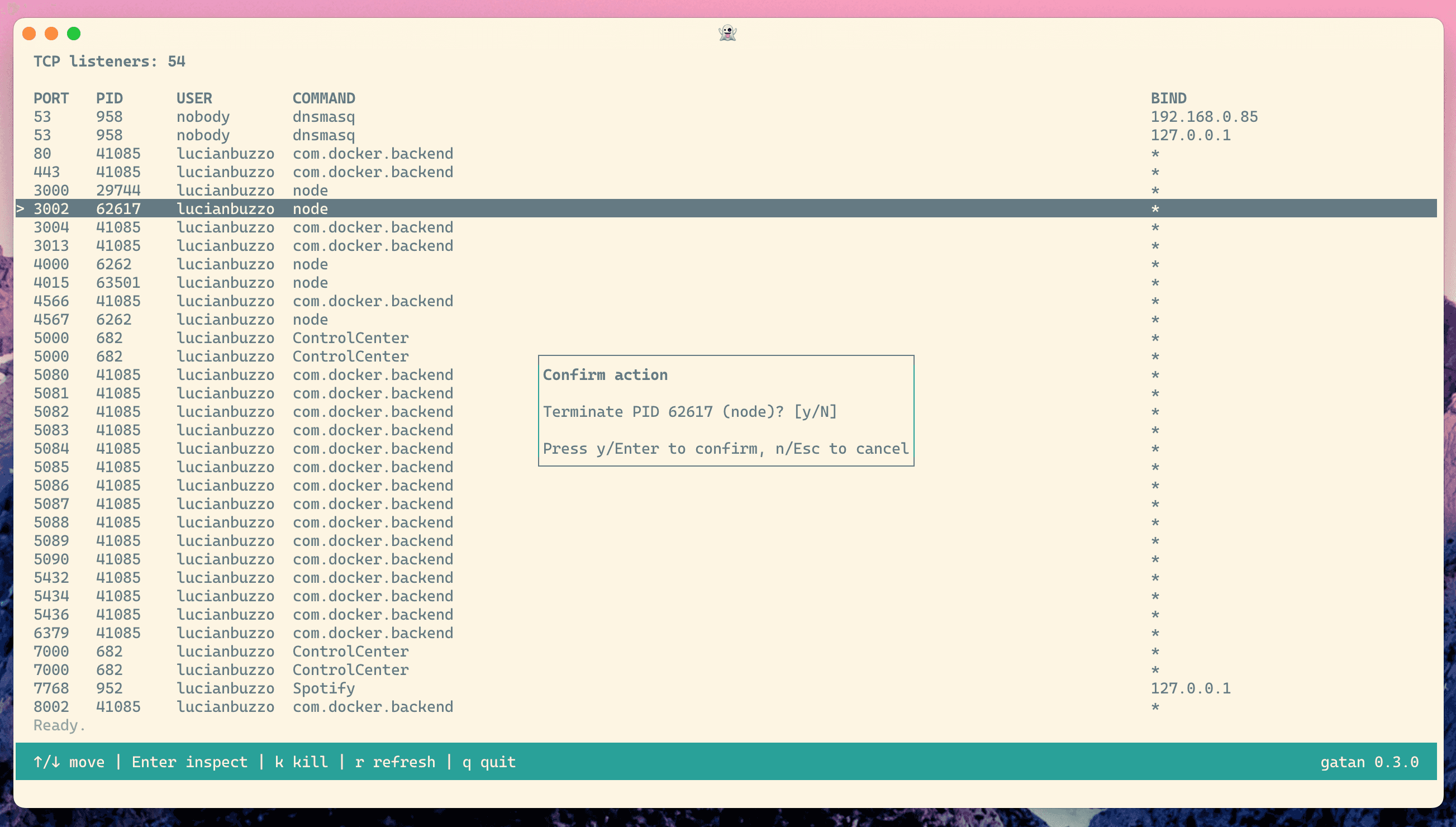
At the same time, I was opinionated about process termination:
- Confirm
SIGTERM - Wait briefly
- If still alive, optionally escalate to
SIGKILL
This gives a safer default without hiding the “nuke it” option when needed.
I also added a dedicated sudo explainer flow so users understand why elevation is needed and what gatan is doing with it.
Shipping discipline (for a tiny tool)
Even though this is a small utility, I wanted it to ship like a real product:
- Bats tests for parsing, key handling, inspect behavior, and kill flow
shellcheck+shfmtin CI- Conventional Commit enforcement in PRs
- release-please for changelog + version automation
That paid off quickly: I shipped 0.2.0 and 0.3.0 within the first wave of changes, with release notes generated from actual commit history.
Documentation was part of the build
Today I also revisited docs and added screenshot coverage to the README.
Interesting side note: I first tried automating screenshot capture directly from a controlled terminal session, but that path became fiddly fast (TTY edge-cases, environment parity, command availability). It was genuinely faster and cleaner to take the screenshots manually and wire them in.
That was a nice reminder: automation is great, but only when the setup cost is lower than just doing the work.
What I’d improve next
If I keep iterating on gatan, I’ll probably tackle:
- filtering/search in the process list
- sorting toggles (PID, command, age)
- better tree/context around parent processes
- optional non-sudo mode with reduced data
Closing thought
I like projects like this because they’re small enough to finish but deep enough to force good decisions.
gatan started as “I’m tired of checking ports manually,” but it turned into a neat little case study in Bash ergonomics, terminal UX, and release discipline.
If you want to try it, you can install it with:
bpkg install -g lucianbuzzo/gatanSource code: https://github.com/LucianBuzzo/gatan